Certificate delete failed: Certificate cannot be deleted because it is used by 1 MP node

I was recently trying to replace some service certificates and I accidentally associated the certificate with the wrong service. When trying to delete the certificate I was presented with an error “Certificate delete failed: Certificate cannot be deleted because it is used by 1 MP node” The first step I did was try to figure out what service is associated with the certificate. For that I leveraged the instructions in KB 75277. Performing a GET /api/v1/trust-management/certificates/{cert-id} I was able to identify that CBM_API service was using the certificate. ...


Certificate delete failed: Certificate cannot be deleted because it is used by 1 MP node
Expired certificate warning shown for API-Corfu client certificate.

Replacing the Corfu API certificate in NSX

In this blog we will go over replacing the Corfu API certificate in NSX. In this example I will be using the UI to generate the self signed certificate and then an API call to replace the certificate. Identifying the Expired Corfu Certificate In my case the Corfu API certificate has already expired Generating a New Self-Signed Certificate In the top menu bar I went to Generate -> Generate Self Signed Certificate ...

Replacing the Corfu API certificate in NSX
Expired LocalManager certificate shown in NSX UI, needs replacement.

Replacing the LocalManager certificate in NSX

In this blog we will go over replacing the LocalManager certificate in NSX. In this example I will be using the UI to generate the self signed certificate and then an API call to replace the certificate. Reviewing the Expired Certificate In my case the LocalManager certificate has already expired Generating a Self Signed Certificate In the top menu bar I went to Generate -> Generate Self Signed Certificate ...

 · Updated  · 
Replacing the LocalManager certificate in NSX

Simplifying NSX Edge Removal in VMware Cloud Foundation (VCF) Environment

Important correction (August 25, 2026): The original article incorrectly implied that the NSX Edge Removal Tool preserves attached dependencies and that dependencies could be addressed after removal. Broadcom’s current instructions require administrators to remove or disconnect added services, interfaces, segments, and other dependencies before running the cleaner. The tool must not be used for an Edge cluster serving Workload Control Plane (WCP). The old direct-download link, version-specific filename, executable command, and post-removal dependency workflow have been removed so they cannot be mistaken for current instructions. ...

 · Updated  · 
Simplifying NSX Edge Removal in VMware Cloud Foundation (VCF) Environment
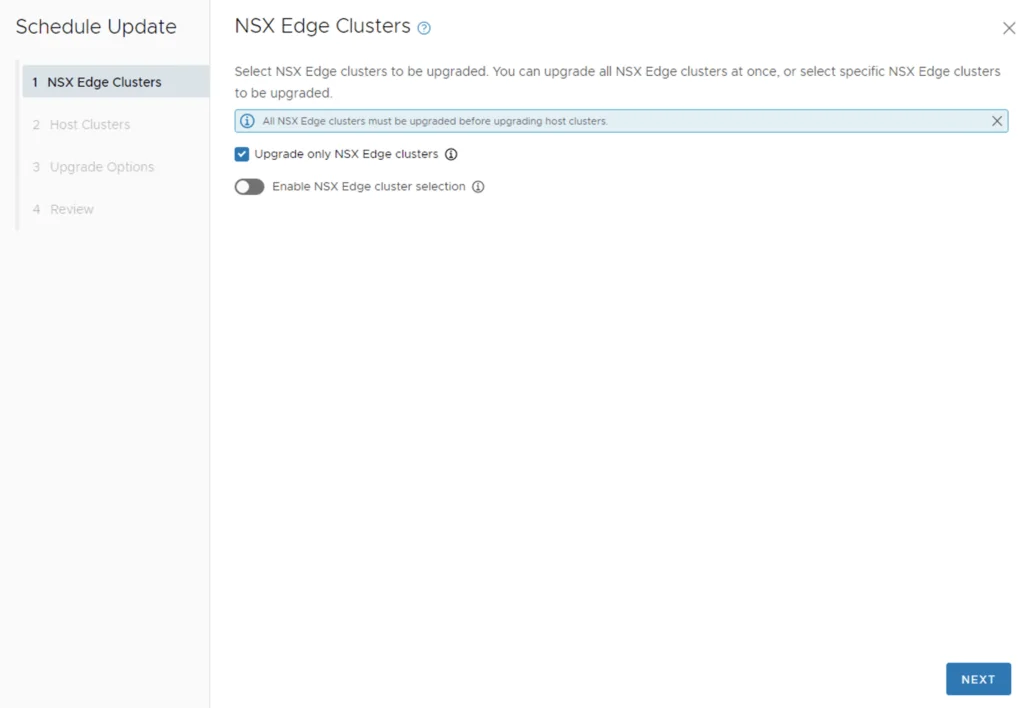
'NSX Edge Clusters' step in a VCF upgrade wizard, with options to upgrade all or specific clusters.

Upgrading VCF 4.3.x to VCF 5 Step by Step

With the release of of VCF 5 I wanted to get my lab upgraded. The release blog can be found here and the release notes are here Please note that some of the components within the VCF will still need additional upgrading. Please read the release notes for additional details. Downloading the VCF 5.0 Bundles We can start by going to Inventory -> Workload Domains -> Select the domain -> Update/Patches -> Select the VCF version -> Download now. If you do not see the newest releases go to Administration -> Online Depot and add a VMware Customer Connect account that has access to perform downloads. ...

Upgrading VCF 4.3.x to VCF 5 Step by Step

A Step-by-Step Guide to Convert Native Cloud Virtual Machines to On-Prem vSphere with VMware Converter

Migrating virtual machines (VMs) from a cloud environment to an on-premises VMware vSphere infrastructure can be a daunting task. However, with the right tools and processes in place, it can be a seamless and efficient process. One such tool is the VMware Converter, which enables users to convert native cloud VMs\physical servers to vSphere machines. In this blog post, we will discuss the benefits and challenges of converting cloud VMs and provide a step-by-step guide for using VMware Converter to achieve this goal. ...

A Step-by-Step Guide to Convert Native Cloud Virtual Machines to On-Prem vSphere with VMware Converter

Overview of deploying a 3 tier app in vRA 8, Terraform, and Ansible

Introduction When it comes to deploying a three-tier application in Google Cloud Platform (GCP), there are several tools available, including vRealize Automation (vRA) 8, Terraform, and Ansible. Each tool has its own strengths and weaknesses, and choosing the right one for your project depends on several factors. In this blog post, we will compare these three tools and discuss how vRA 8 stands out as the best option for deploying a three-tier application in GCP. ...

Overview of deploying a 3 tier app in vRA 8, Terraform, and Ansible

Deploying a 3 tier app in GCP from Ansible

Ansible is an open-source automation tool that allows you to automate configuration management, application deployment, and task automation. In this blog post, we will explore how to deploy a three-tier application in Google Cloud Platform (GCP) using Ansible. If you prefer other tooling, I also covered deploying the same 3 tier app in GCP from Terraform and from vRA. GCP and Ansible Overview GCP Overview Google Cloud Platform (GCP) is a suite of cloud computing services offered by Google. It provides a wide range of services such as virtual machines, storage, and networking, among others, that can be used to deploy and run applications in the cloud. One of the advantages of using GCP is its high availability and scalability, which makes it an excellent option for deploying enterprise-grade applications. ...

Deploying a 3 tier app in GCP from Ansible

Deploying a 3 tier app in GCP from Terraform

Deploying a three-tier application using Terraform is a popular approach because it provides infrastructure-as-code benefits. Terraform is an open-source infrastructure-as-code tool that allows you to define, configure, and manage infrastructure in a declarative language. In this blog post, we will explore how to deploy a three-tier application in Google Cloud Platform (GCP) using Terraform. GCP and Terraform Overview GCP Overview Google Cloud Platform (GCP) is a suite of cloud computing services offered by Google. It provides a wide range of services such as virtual machines, storage, and networking, among others, that can be used to deploy and run applications in the cloud. One of the advantages of using GCP is its high availability and scalability, which makes it an excellent option for deploying enterprise-grade applications. ...

Deploying a 3 tier app in GCP from Terraform

Deploying a 3 tier app in GCP from vRA

Deploying a three-tier application is a common task for many organizations, and as more companies move to the cloud, it’s essential to understand how to deploy such applications in the cloud environment. In this blog post, we will explore how to deploy a three-tier application from vRealize Automation 8 in Google Cloud Platform (GCP) using a blueprint. GCP and vRA 8 Overview GCP Overview Google Cloud Platform (GCP) is a suite of cloud computing services offered by Google. It provides a wide range of services such as virtual machines, storage, and networking, among others, that can be used to deploy and run applications in the cloud. One of the advantages of using GCP is its high availability and scalability, which makes it an excellent option for deploying enterprise-grade applications. ...

Deploying a 3 tier app in GCP from vRA